How to create a museum audio guide in-house
Publicado Actualizado
Disponible por ahora en inglés.
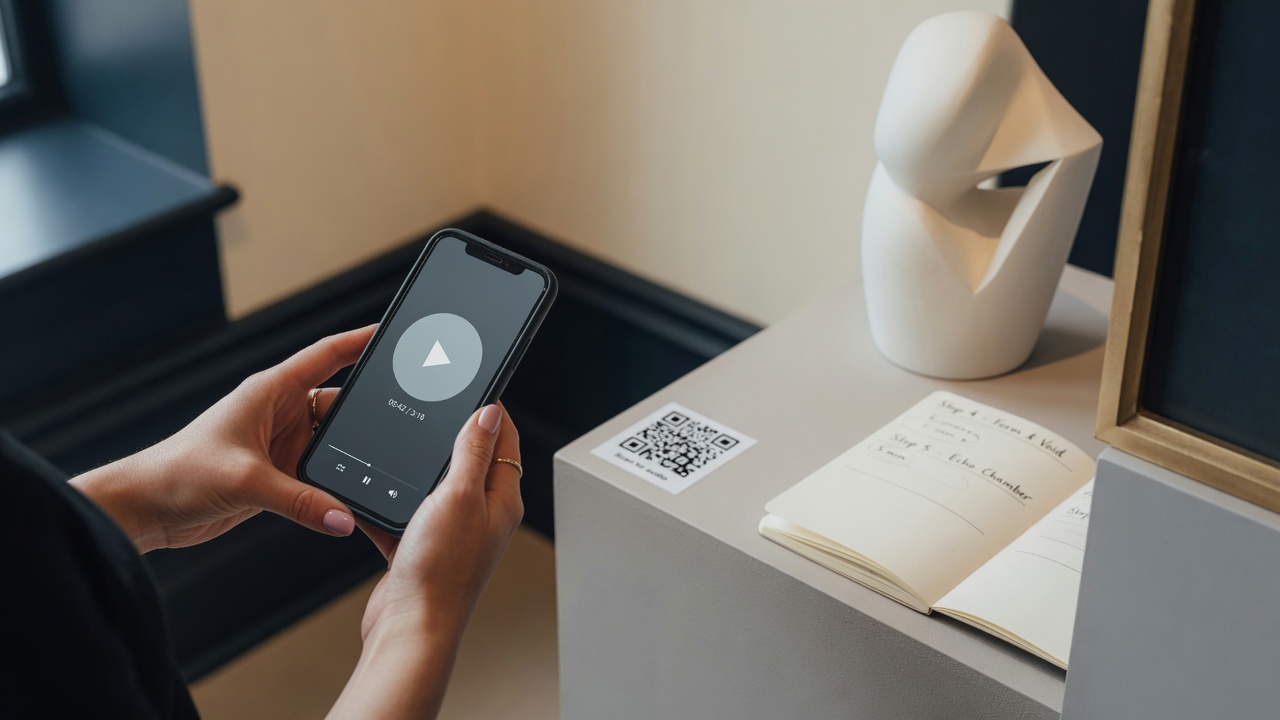
To create a museum audio guide in-house, write one sentence for the visit, pick 8 to 20 stops, script each stop for one to two minutes, add audio and a transcript, then publish and test QR codes on real phones in the galleries. You do not need a production company or a fleet of players if the team can write and a visitor can scan.
Puntos clave
- Start with fewer stops than you think. Quality beats covering every label.
- Write for the ear: one idea per stop, about one to two minutes spoken.
- Add a transcript with the audio, in every language you publish.
- Proof QR codes on iOS and Android on the gallery floor before you print at volume.
1. Decide what the visit is for
Write one sentence: who it is for, and what a good visit looks like. That sentence decides stop count, tone, and whether you need an entrance code, per-room codes, or both.
- A 40-minute highlights tour in four languages for first-time visitors
- A deep dive on the temporary exhibition for returning members
- A short family route that skips the rooms with no seating
If you cannot say it in one sentence, the tour will try to be three tours. Pick one for opening day. You can add a second route later.
2. Choose fewer stops than you think
Walk the route with a timer. Mark works that carry the story. Skip labels that only repeat wall text. A tight highlights tour often lands between 8 and 20 stops. Temporary shows may need fewer, denser stops.
- Group stops into a walking order people will actually follow
- Note glare, noise, and where a QR code can sit at a comfortable height
- Flag objects that need a content warning or slower pacing
A visitor standing in front of a case will not listen to five minutes. If a stop needs that long, split it, or cut it.
3. Write for the ear
People listen while standing. Prefer short sentences, concrete detail, and one clear takeaway. Read every script aloud. If you run out of breath, cut.
- Open with what the visitor is looking at
- Add one context beat: maker, date, why it is here
- Close with where to go next, or what to notice
A 90-second stop might sound like this:
- You are looking at a wooden Jacquard loom. The cards hang above the warp.
- Each hole in a card is a lift the weaver no longer has to remember. The mill used this to copy a pattern from one cloth to the next, without starting from a blank memory.
- When you are ready, the sample book is on the table to your right. The cloth is still pinned to the page it was sold from.
Translate after the source language is stable. Do not freeze six translations while the stop list is still moving. How to make a multilingual museum audio guide covers the rest.
4. Add audio
Upload recordings you already trust: curators, actors, or community voices. A quiet room and a decent USB mic get many venues live.
- Keep levels consistent across stops.
- Name files by stop and language so an update does not overwrite the wrong clip.
Studio time helps for a flagship production or a known narrator. It is not a requirement for a highlights tour.
5. Add a transcript with every clip
A written transcript on each stop helps deaf and hard-of-hearing visitors, people in quiet rooms, and anyone who prefers to read. Use the same plain language as the script. Do not dump unedited footnotes into the field.
For a fuller checklist, see Accessible museum audio guides.
6. Publish, proof the codes, then print
Only print at volume after a real walkthrough. Codes that fail in the galleries are more expensive than a second proof run.
- Publish the tour, or a password-protected preview for staff
- Download entrance and per-stop codes
- Print a small proof run on the real label stock
- Test with iOS and Android on the gallery floor
- Time a full walkthrough with someone who did not write the scripts
After opening day
Treat edits as normal. Correct a date, swap a clip, add a language. With a browser-based guide you do not recall hardware. You only reprint codes if a URL or the stop structure itself changes.
If you are leaving rented players behind, hardware versus QR on the visitor’s phone sets out when each model still fits.
If you use Audiogids
Audiogids is built for this path. Add stops with a title, text, and an optional photo. Upload audio. Publish. Download QR codes. Brand the public pages. Visitors open the guide in the browser. There is a free trial week with no card, then €27 a week on invoice for the dates the tour runs.
See how it works for temporary exhibitions and tours in several languages. Start from the homepage, or contact us if you have a question.
Frequently asked questions
How long should each museum audio guide stop be?
One to two minutes of audio is a common target for a highlights tour. Longer is fine for a deep-dive route if visitors expect it. Say so at the entrance so people can choose.
Do we need a professional studio to record the tour?
Not always. A quiet room, a decent USB microphone, and consistent loudness get many venues live. Book a studio for a flagship production or a known narrator.
Can we update the audio guide after opening?
With a browser-based system, yes. Edit text or audio in the dashboard and the live tour updates. Reprint codes only if a URL or the stop structure changes.
How many languages should we launch with?
Launch with the languages your audience actually uses on day one. Add more after the stop list and the source script are stable. Six weak translations help no one.
Related guides
- How to make a multilingual museum audio guide
Choose languages from your visitor data, finish the source script first, translate for the ear, record native voices, and keep every language in sync.
- Hardware audio guides vs QR on the visitor’s phone
Rented museum players vs QR audio guides on the visitor’s phone: desk staffing, cost, languages, updates, hygiene, and when a hybrid still makes sense.
- Accessible museum audio guides: transcripts, browsers, and WCAG
What actually makes a museum audio guide more accessible: transcripts, browser settings, language choice, and honest WCAG language between venues and vendors.
Comienza con una semana gratis
Crea un recorrido en el panel. Sin tarjeta. Factura cuando estés listo.
Sin tarjeta de crédito · Cancelar en cualquier momento