Accessible museum audio guides: transcripts, browsers, and WCAG
Published Updated
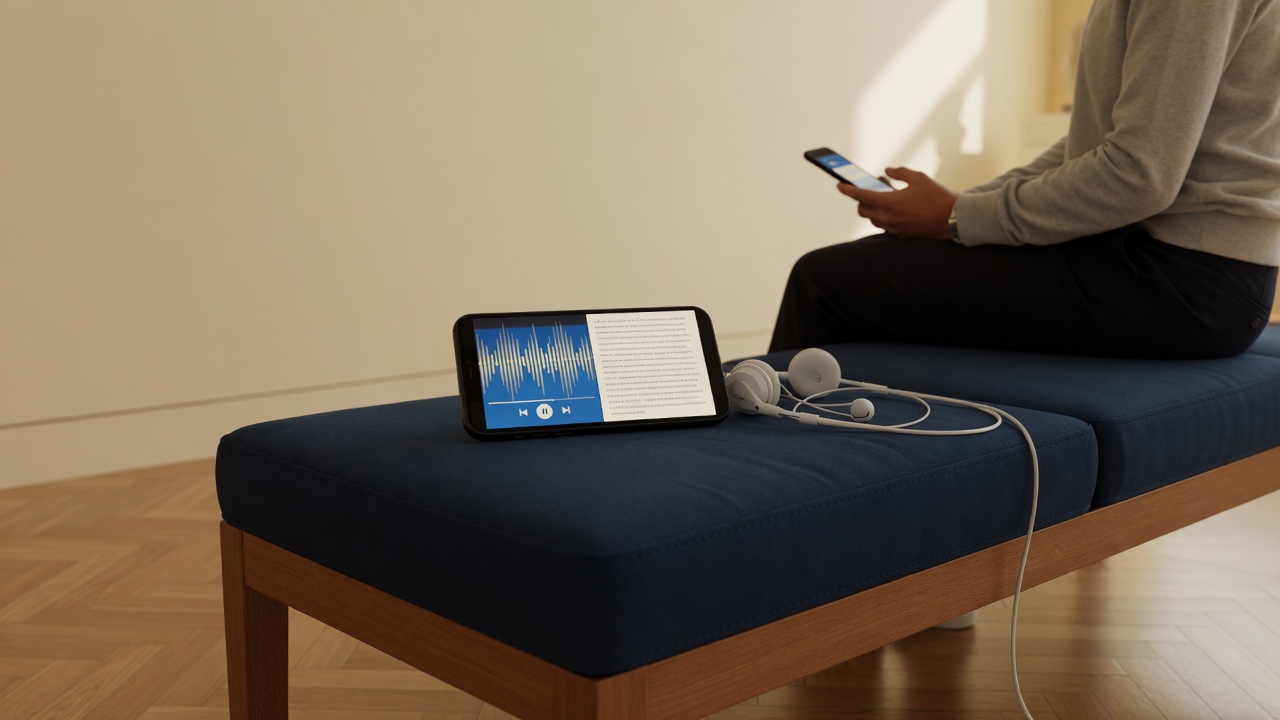
More accessible audio guides combine clear audio with written transcripts, work in the visitor’s own browser so system text size and screen readers apply, and avoid forcing a separate app. Formal WCAG or EN 301 549 conformance still needs evidence. Ask vendors what they have actually tested, and do not publish a badge you cannot show.
Key takeaways
- Transcripts do the most work for the most visitors.
- A browser-based guide inherits device settings. Apps often do not.
- Venues own content quality. Vendors own player behaviour.
- Do not publish a conformance badge you cannot evidence.
Who is left out by a headphones-only tour?
Audio-only stops exclude or strain visitors who are deaf or hard of hearing, people processing a second language in a noisy room, and anyone who cannot play sound in that moment. Accessibility for audio guides is not only about wheelchair routes. It is equivalent access to the interpretive content.
Why transcripts matter
A transcript is the written form of the narration on that stop. It should be readable on a phone, updated when the audio changes, and written in plain language, not a dump of internal curatorial notes.
- Supports deaf and hard-of-hearing visitors
- Helps in quiet rooms, shared visits, and low-battery moments
- Gives screen-reader users a structured text alternative
- Makes translation review easier for your team
Browser-based guides and personal device settings
When the guide opens in the visitor’s browser, it can inherit system text scaling, preferred fonts, reduced motion, and the screen reader they already know. There is no second interface to learn and no app-store install in the way.
That does not make every page perfect. Vendors still need sensible markup, keyboard-reachable controls, and usable contrast. It does remove a common failure: download our app, then fight its private font size.
What is on the venue vs what is on the vendor
Responsibility split for accessible audio guides
| Responsibility | Venue | Vendor / platform |
|---|---|---|
| Transcripts written and kept in sync | Yes | Provide the field and player UI |
| Clear narration and plain language | Yes | Offer guidance, not ghost-writing by default |
| Image descriptions where photos are shown | Yes | Allow alt text and captions in the CMS |
| Player keyboard and screen-reader behaviour | Report issues | Yes |
| Formal WCAG / EN audit evidence | Ask for it in procurement | Produce it if claimed |
How to talk about WCAG without overclaiming
WCAG 2.1 and EN 301 549 are useful yardsticks for procurement. They are not marketing stickers. If a vendor has not completed a formal audit, they should say so, and still describe concrete features: transcripts, browser delivery, language switching.
Audiogids supports transcripts, multilingual tours, and delivery in the visitor’s own browser.
A short checklist before you open
- Every published stop that has audio also has a transcript in each live language (see multilingual audio guides)
- Staff can switch language on a phone without losing the stop
- QR codes sit at a reachable height with contrasting print
- A screen-reader user on your team, or a consultant, has tried play, pause, and transcript
- Desk staff know how to log an access complaint, and how to reach hello@audiogids.be if the player is at fault
Building the tour itself is covered in How to create a museum audio guide in-house. Visitors use their own phone and browser, see no players, no app. For product questions, contact us.
Frequently asked questions
Are transcripts enough to call a museum audio guide accessible?
They are necessary for many visitors but not enough on their own. Player behaviour, contrast, keyboard use, language availability, and on-site signage all matter too.
Does Audiogids claim WCAG conformance?
We describe what the player supports: transcripts, language switching, and a guide that opens in the visitor’s own browser.
Should we still offer loan devices with a QR guide?
A small loan pool of phones or players can help visitors who do not have a suitable device, alongside a QR guide for everyone else.
Related guides
- How to create a museum audio guide in-house
A practical process for museums: choose a short route, write for the ear, add audio and transcripts, then proof QR codes on the gallery floor before you print.
- How to make a multilingual museum audio guide
Choose languages from your visitor data, finish the source script first, translate for the ear, record native voices, and keep every language in sync.
- Hardware audio guides vs QR on the visitor’s phone
Rented museum players vs QR audio guides on the visitor’s phone: desk staffing, cost, languages, updates, hygiene, and when a hybrid still makes sense.
Start with a free week
No card. Invoice when you are ready.
No credit card · Cancel anytime