Hardware audio guides vs QR on the visitor’s phone
Published Updated
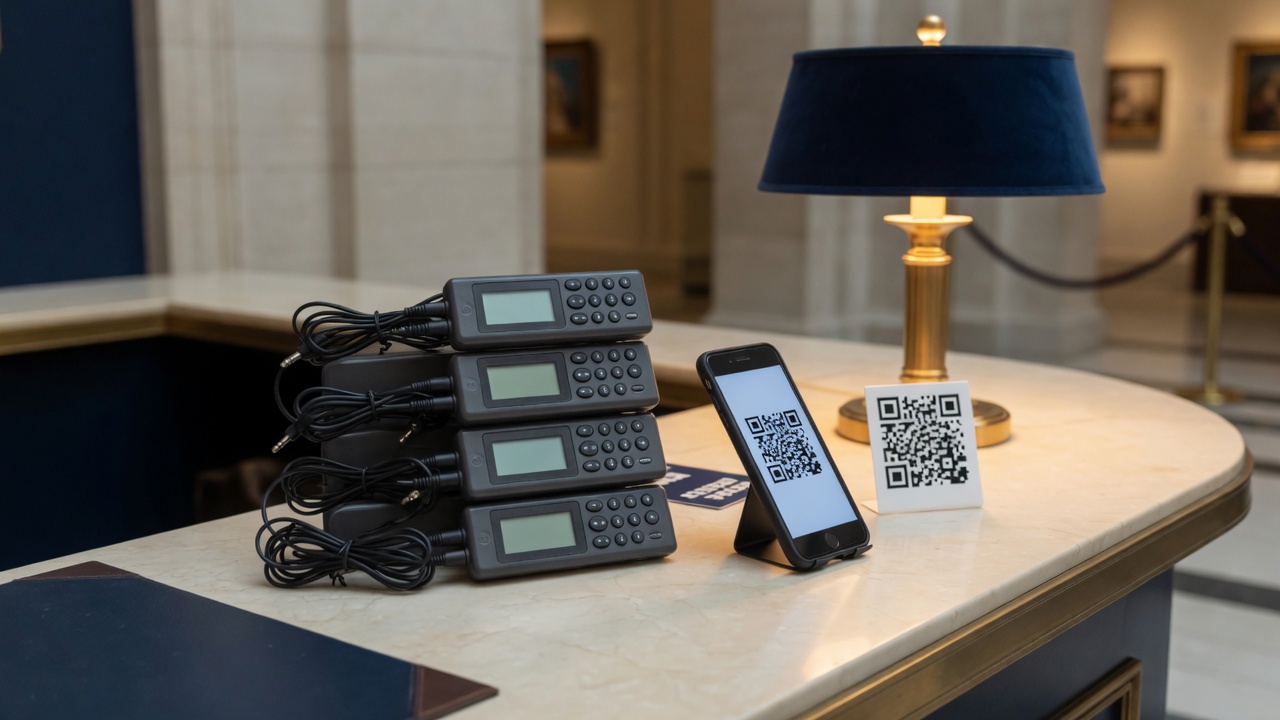
Hardware audio guides are dedicated players you loan at the desk. QR guides play on the visitor’s own phone in the browser. Hardware keeps control at the venue. QR shifts the device to the visitor and usually cuts staffing, charging, and fleet cost. Some museums run both: QR for most visitors, a small loan pool for those without a suitable phone.
Key takeaways
- Hardware means the venue owns or rents the players. QR means the visitor brings the phone.
- The hidden costs of hardware are staffing, charging, loss, and sanitation, not only the sticker price.
- Phone-based guides update scripts and languages without recalling a fleet.
- A hybrid is common: QR for most visitors, a handful of loan devices for the rest.
What is a hardware museum audio guide?
Hardware guides are handheld players, sometimes with a keypad, wand, or headset, stored at a desk or locker. Staff issue a device, explain the controls, take a deposit or ticket stub, and collect everything at the end. Content is loaded onto the fleet or served to those devices over a local system.
Visitors know the model. It works when phones are discouraged. It also creates an operations job: stock levels, batteries, breakages, cleaning, and queues at peak hour.
What is a smartphone or QR audio guide?
Visitors use their own phone. In the QR and browser pattern they scan a code and listen without installing an app. In the app pattern they download a venue or vendor app first. Either way, the venue is not handing out a player for every guest.
Building one in-house is covered in How to create a museum audio guide in-house. What it looks like for visitors is on audio guides on visitors’ phones.
Side-by-side comparison
Hardware players versus smartphone and QR audio guides
| Topic | Hardware players | Smartphone / QR |
|---|---|---|
| Who brings the device | The venue | The visitor |
| Desk staffing | Issue, explain, collect, charge | Usually none for the guide itself |
| Upfront cost | Fleet purchase or seasonal rental | Software fee; print codes |
| Hygiene and loss | Clean between visitors; replacements | Visitor’s own phone and headphones |
| Language updates | Often a reload or vendor cycle | Publish in the dashboard; live immediately |
| Visitor friction | Queue for a device; learn controls | Scan and play, or install an app |
| No-phone visitors | Covered by default | Need a small loan pool or another option |
| Best for | Phone bans, existing working fleets | Short seasons, small teams, changing languages |
Where hardware still wins
- Audiences with low smartphone use, or galleries that ban personal devices
- Experiences that depend on proprietary offline hardware features
- Venues that already own a working fleet and a trained desk team
If those conditions are true, replacing hardware only to “be modern” can create new problems. The decision is operational, not aesthetic.
Where QR guides usually win
- Temporary exhibitions and short seasons: no fleet to buy for eight weeks
- Multilingual programmes that change during the run
- Small teams that cannot staff a loan desk all day
- Venues that want stop and language analytics without device logistics
The cost shape differs. Hardware concentrates spend in capital and labour: buy or rent the fleet, then staff the desk for every open hour. QR concentrates spend in content (scripts, recordings, translations) and a software fee. See current pricing.
A hybrid many museums use
Publish a QR guide for most visitors, and keep a handful of simple loan phones or players for guests who need them. You still retire the large fleet. You do not exclude people without a suitable device.
Ask visitors to bring earbuds, sell inexpensive pairs at the shop, or lend wired headphones without lending the player itself.
If you use Audiogids
Audiogids is the QR and browser option. You create stops in-house. Visitors scan and listen on their phone. There is no app to push. Weekly pricing starts from €27, with a free trial week and invoice billing for the dates the tour runs.
Frequently asked questions
Is a QR audio guide always cheaper than hardware?
Often for temporary shows and small venues, because you avoid buying or renting a fleet and staffing a desk. Large institutions with an existing working fleet may still find hardware economical until those devices need replacement.
Can we keep a headphones rule with QR guides?
Yes. Ask visitors to bring earbuds, sell inexpensive pairs at the shop, or lend wired headphones without lending the player itself.
What about visitors without a smartphone?
Keep a small loan pool of phones or players beside the QR guide. That covers guests who need a device without returning to a full fleet.
Related guides
- How to create a museum audio guide in-house
A practical process for museums: choose a short route, write for the ear, add audio and transcripts, then proof QR codes on the gallery floor before you print.
- How to make a multilingual museum audio guide
Choose languages from your visitor data, finish the source script first, translate for the ear, record native voices, and keep every language in sync.
- Accessible museum audio guides: transcripts, browsers, and WCAG
What actually makes a museum audio guide more accessible: transcripts, browser settings, language choice, and honest WCAG language between venues and vendors.
Start with a free week
No card. Invoice when you are ready.
No credit card · Cancel anytime